NSFAS Status Check
Understand your NSFAS application and funding journey — statuses explained, documents, allowances and appeals, in plain language.
Independent information tool. Not affiliated with NSFAS or the South African government. Your official record on myNSFAS is always authoritative.
Check your status
Enter your NSFAS application reference (for example 2027-482913) or your 13-digit SA ID number. This tool cannot access your private myNSFAS account — it will never show or guess your real personal status.
We never ask for your NSFAS password, OTP, banking password or PIN. Nobody from NSFAS will ever ask for those either — anyone who does is running a scam.
Your real application status lives only inside your official myNSFAS account. Nothing you typed was stored or sent anywhere.
Check on Official myNSFAS PortalOr explore what each official status means below — pick the status your myNSFAS tracker currently shows.
Status explorer
Select the status currently shown on your myNSFAS tracker to see what it means, what happens next, and what you should do.
Application status
Funding status
Application progress
Missing documents
Allowance information
Appeal status
Your next step
Official NSFAS resources
These are the official NSFAS channels. Always check the spelling in your address bar before signing in.
About this tool: an independent guide that explains NSFAS statuses and processes in plain language. It is not affiliated with NSFAS or any government body, cannot access your personal application, and never collects passwords, OTPs or banking details. Information based on the official NSFAS website, last verified . For your real status, always use the official myNSFAS portal.
Waiting on funding is a special kind of stress. You open the portal, see the same message as yesterday, close it, and then open it again an hour later. If that sounds like you, relax. You’re not alone.
An NSFAS status check only takes a few minutes. The hard part is understanding what the result is really telling you. Is “in progress” good news? Should “awaiting evaluation” worry you? And why does the site always seem to crash right when you need it?
This guide walks you through everything, from logging in to appealing a decision. Keep reading until the approval section, because there’s one assumption that catches a lot of newly funded students off guard.
What Is the NSFAS Status Check?
NSFAS, the National Student Financial Aid Scheme, helps qualifying South African students pay for university or TVET college. Once you apply, your file moves through a few steps: submission, verification, evaluation and a final decision. The status check simply shows you which step you’re on.
Everything lives in your myNSFAS account: your application, your documents, your outcome and, later, your funding details. Honestly, I think NSFAS could explain these stages much better. That’s why so many students end up guessing.
How to Check Your NSFAS Status Online (Step-by-Step)
The fastest way is through the official portal:
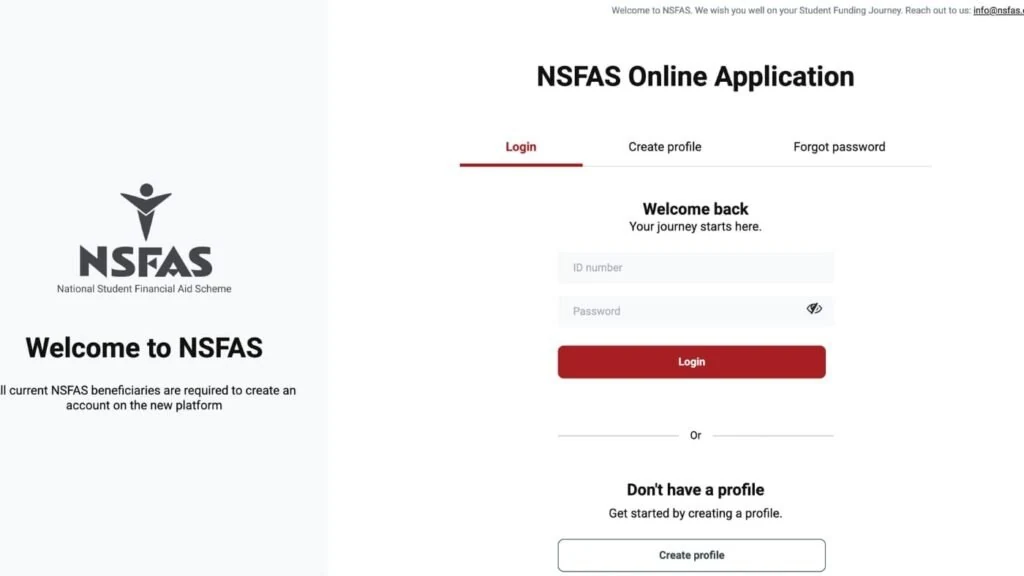
- Go to the official NSFAS website (nsfas.org.za) and click the myNSFAS login. Stick to the real site, because fake ones are out there.
- Enter the username and password you created when you applied.
- Open your dashboard and look for your application or “My Status” section.
- Read your status carefully, and check for any messages asking for extra documents. Ignoring those requests is one of the most common reasons applications stall.
Quick tip: Take a screenshot every time you check. If something changes unexpectedly, you’ll have proof of what you saw.
Forgot your password? Tap the reset link on the login page. If the email doesn’t show up, look in your spam folder before you panic.
Other Ways to Check Your NSFAS Status
No data or no smartphone? You still have options:
- Helpline: Call 08000 NSFAS (67327). Try early in the morning, because the lines get packed during peak season.
- Email: Write to [email protected] and include your full name, ID number and reference number.
- Official social media channels: Contact options change from time to time, so confirm them on the NSFAS website before sharing any personal details.
- Your institution’s financial aid office: If you’ve already been accepted, the staff there can often see your funding status.
One important warning: NSFAS doesn’t charge for status checks. If anyone asks you to pay to “speed things up,” it’s a scam. Walk away.
NSFAS Application Statuses Explained
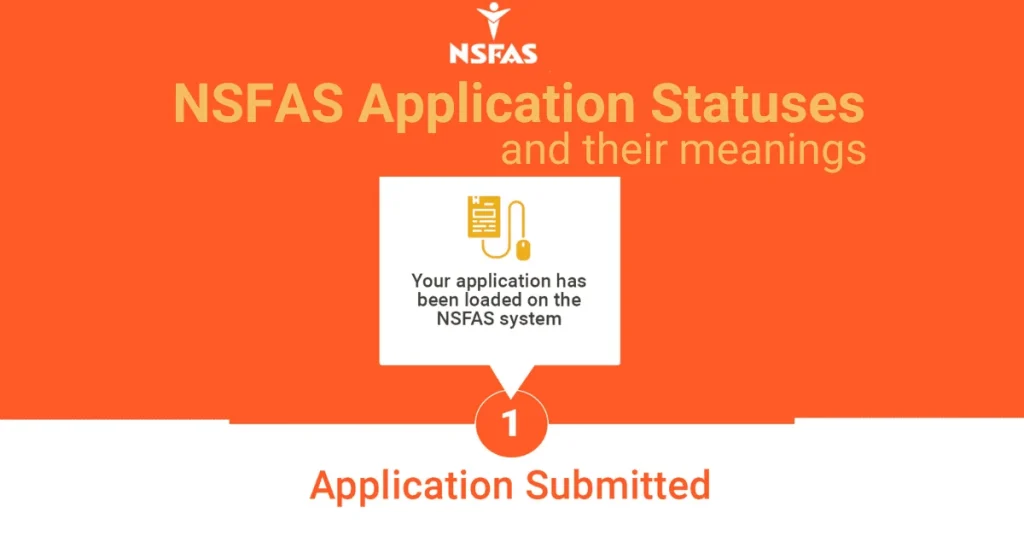
The exact wording can change from year to year, but here’s what you’ll usually see:
- Submitted / received: Your application is in the system. No decision yet.
- In progress: Still being processed. This is the most common status, and the most nerve-wracking.
- Awaiting evaluation / validation: NSFAS is checking your identity and household income against government databases.
- Validation results received: The checks are done, and a decision should follow.
- Funded / approved: Great news! NSFAS will fund you, as long as you meet conditions like registering at your institution.
- Unsuccessful: Not approved this time, but you may be able to appeal.
- Additional information requested: NSFAS needs a document or an explanation from you.
See something that isn’t on this list? Don’t assume the worst. Just ask NSFAS what it means.
What to Do If Your Application Is Still “In Progress”
A long NSFAS status pending wait is usually normal. It doesn’t mean you’ve been rejected. Here’s how to handle it:
- Check your documents. Make sure everything is complete and easy to read. Missing paperwork is the number one cause of delays.
- Confirm your consent forms are signed by everyone who needs to sign.
- Don’t submit a second application. It only creates confusion.
- Check once or twice a week, not every day. Refreshing the page won’t make it move faster, I promise.
- Contact NSFAS if the wait feels too long. Keep your ID number and reference number handy.
Many students stay in this status for weeks and still get approved in the end.
NSFAS Status Check Not Working? Common Problems & Fixes
When the NSFAS status check is not working, heavy traffic is usually to blame. Here’s what to try:
- Site won’t load: Log in very early in the morning or late at night.
- Login rejected: Check for typos, extra spaces or caps lock. Then reset your password if needed.
- No reset email or OTP: Check your spam folder, and make sure the email address and cell number on your profile are up to date.
- Status not updating: Clear your browser cache or try a different browser or device.
- Error messages: Wait a few hours and try again. Maintenance happens often, and problems frequently fix themselves.
Still stuck after a day or two? Contact NSFAS directly.
How Long Does NSFAS Take to Approve an Application?
The honest answer is: it depends. It comes down to when you applied, how complete your documents are and how much checking your file needs. Some students hear back within a few weeks. Others wait longer, especially if they applied close to the deadline or needed extra verification.
Outcomes usually come out in waves after applications close. Trust official NSFAS announcements, not random dates shared on social media. And if you haven’t applied yet, apply early. It really is the best thing you can do.
What Happens After You’re Approved
Here’s that assumption I mentioned earlier: many students think approval means everything happens automatically. It doesn’t.
Once you’re funded, here’s what to do:
- Confirm or accept your funding if the portal asks you to.
- Register at your institution. Your funding depends on it.
- Check what’s covered, such as tuition, accommodation and allowances.
- Keep your contact and bank details up to date so your payments arrive on time.
- Sign any funding agreement you’re given.
- Protect your marks. Failing too many modules can put your funding at risk.
Approval opens the door. Your effort keeps it open.
Application Declined? How to Appeal
A rejection hurts, but the reason is often fixable. It could be a data mismatch, wrong income details or a missing document.
Here’s how to appeal:
- Read the reason shown on your myNSFAS profile.
- Use the appeal option in your account.
- Move quickly. Appeal windows are short, so confirm the current deadline on the official NSFAS website.
- Attach proof, like updated income documents or a retrenchment letter.
- Explain your situation honestly and keep it short and clear.
- Save your appeal reference number and follow up.
There’s no guarantee, but plenty of students have turned a “no” into a “yes” with the right paperwork. And if it doesn’t work out, talk to your institution’s financial aid office about bursaries or other funding.
FAQs
How do I check my NSFAS application status?
Log in to your myNSFAS account and check your dashboard. You can also contact NSFAS by phone or email.
Can I do an NSFAS status check with my ID number?
Your ID number is linked to your profile, and you’ll need it when you contact NSFAS about your status.
Why is my NSFAS status still pending?
The usual reasons are high application numbers, ongoing verification or missing documents.
What does “validation results received” mean?
It means your information has been checked against other databases, and a decision is coming.
Does “funded” mean I get paid immediately?
No. You usually need to register at your institution first.
How do I appeal a decision?
Use the appeal option in myNSFAS, explain your reasons, attach documents and submit before the deadline.
Can I change my details after applying?
Sometimes, depending on where your application is. Ask NSFAS to be sure.
Conclusion
Checking your status is the easy part. Waiting is the hard part. Use the official portal, learn what each stage means, keep your documents in order, and don’t panic if “in progress” lingers. If you’re funded, register and look after your marks. If you’re declined, appeal quickly and bring proof.
Your status today doesn’t decide your future. Many students have worked through delays and rejections and still walked across that graduation stage. You can too.
Disclaimer: NSFAS processes, deadlines and contact details can change. Always check the official NSFAS website before you act.